Xhorse Condor XC-Twins automatic key cutting machine is engineered for automotive and residential key duplication, decoding, and milling. This troubleshooting and operations guide covers clamp profiles, hardware installation, system activation, and firmware update protocols.
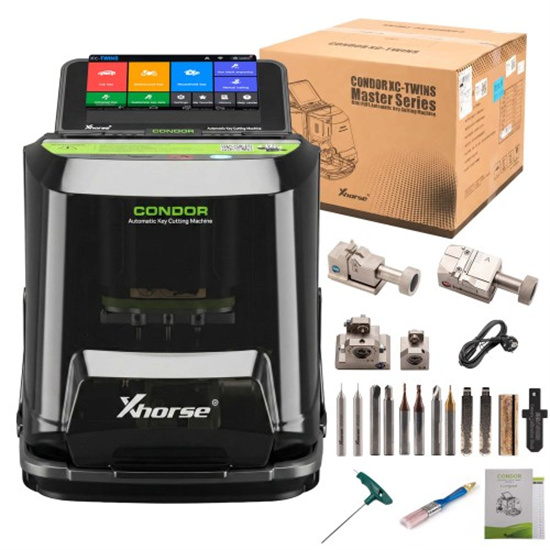
1.Clamp Compatibility Matrix
Q1: Which key types are compatible with the XC-Twins M5L Clamp?
M5L Clamp is a versatile multi-sided fixture that accommodates both external and internal track laser keys:
Side A: Configured for 4-track external and 2-track external key profiles.
Side B: Engineered for 4-track internal and channel track key profiles.
Q2: What is the primary application of the M6 Clamp?
M6 Clamp is purpose-built for residential security profiles. It specifically supports single-row and double-row “smiley” dimple key structures.
Q3: What specialized keys does the M3 Clamp support?
M3 Clamp is dedicated to unique automotive profiles, specifically featuring:
Side 3-A: Tailored for Ford FO21 tibbe keys (Mondeo rod clamp configurations).
Side 3-B: Designed for Citroën SX9 cross key structures.
Q4: When should the M4 Clamp be utilized?
M4 Clamp is an optional auxiliary fixture used for standard residential key blanks that require secondary support during the milling process.
2.Cutter & Clamp Installation Procedures
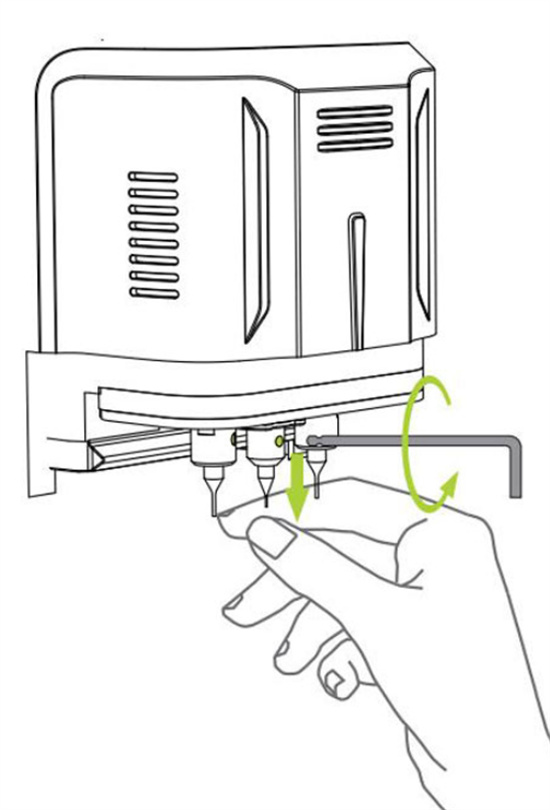
Q5: How do I correctly install a milling cutter?
1).Push the cutter upward into the mounting spindle until it bottoms out against the top limit.
2).Turn the retaining wrench clockwise to secure and lock the cutter firmly in position.
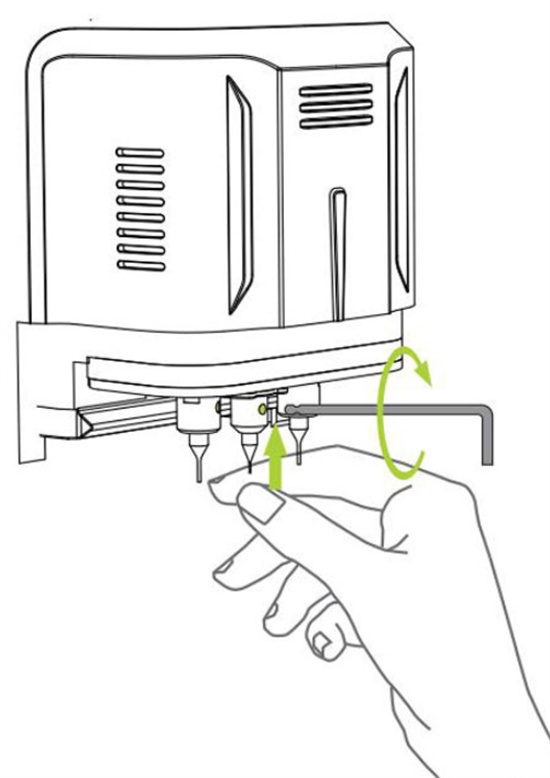
Q6: What is the safest way to remove a cutter?
Lightly support the cutter from below to prevent it from dropping. Turn the wrench counterclockwise to loosen the spindle, then safely slide the cutter out.
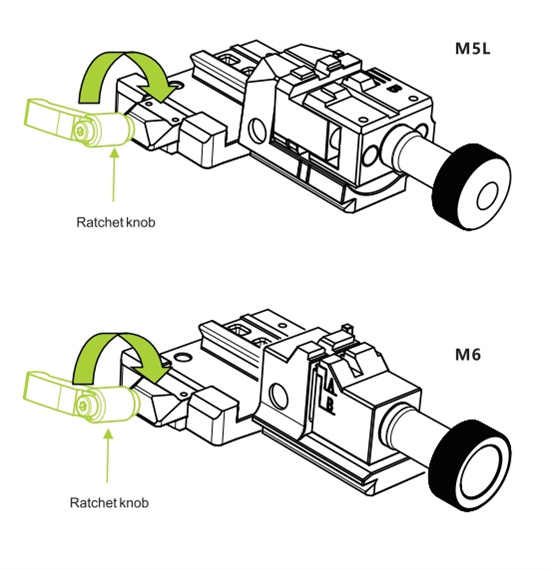
Q7: How do I mount a clamp onto the machine base?
1).Loosen the base locking mechanism by rotating the ratchet knob counterclockwise.
2).Slide the clamp into the guide rail from the right-hand side until it hits the stopper.
3).Tighten the ratchet knob clockwise to lock the clamp in place.
Q8: How do I rotate the M5L Clamp from Side A to Side B?
1).Loosen the tightening knob.
2).Slide the block fully to the right limit position.
3).Flip the sliding block clockwise to invert the clamp from Side A to Side B.
4).Secure the assembly by retightening the knob clockwise.
3.First-Time Activation & Account Registration
Q9: What is the step-by-step out-of-the-box activation process?
To activate your Condor XC-Twins for the first time, follow this sequence:
1).Power on the unit and tap “START TO SET”.
2).Connect to a stable WiFi network.
3).Log into your existing Xhorse account or register a new one via email.
4).Input the verification code to bind the machine’s Serial Number (SN) to your profile.
5).Once successful, tap “START TO USE” to initialize the machine.
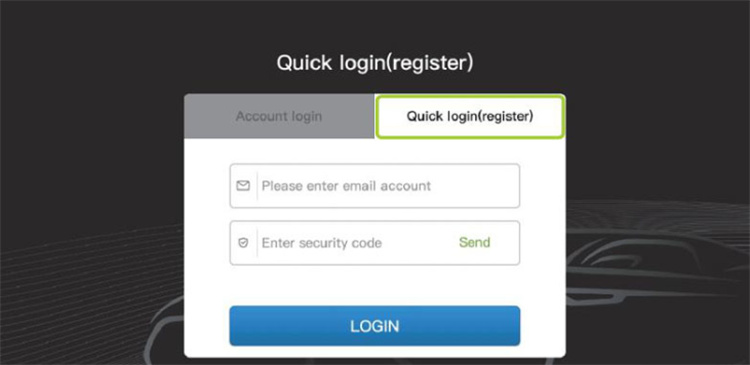
Q10: What happens once the machine is bound to an account?
Binding permanently links the device to your user profile. Consequently, all future bonus points earned through key cutting are automatically credited to your linked Xhorse account.
4. Mandatory System Update Sequence
Q11: What is the correct protocol for updating XC-Twins?
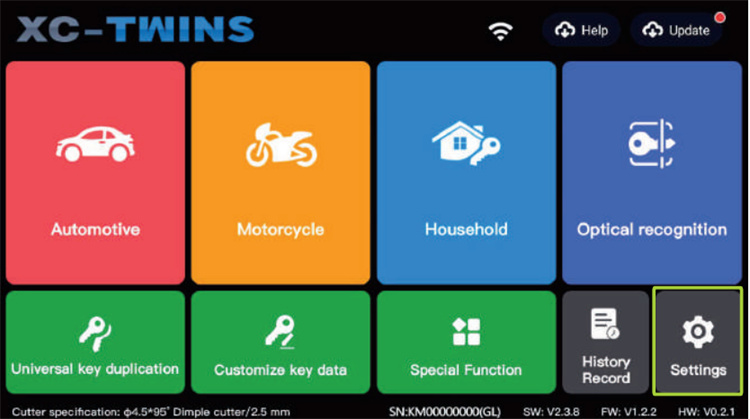
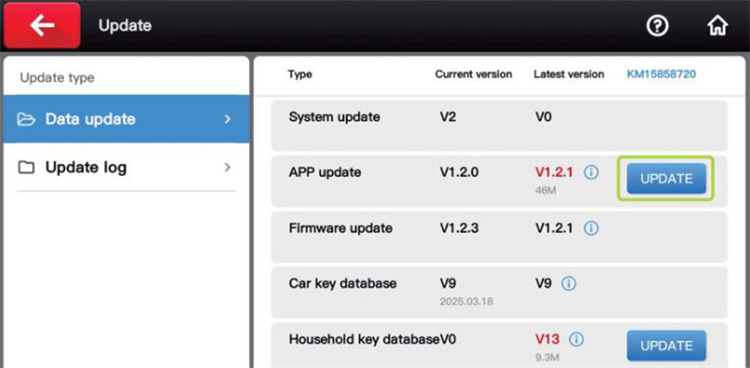
IMPORTANT: To prevent software corruption, updates must be performed in this exact chronological order:
System update → App update → Firmware update
Q12: When should I update the key database?
Database updates (for both automotive and residential libraries) must only be initiated after the System, App, and FirmwXhorse Condor XC-Twins automatic key cutting machine is engineered for automotive and residential key duplication, decoding, and milling. This troubleshooting and operations guide covers clamp profiles, hardware installation, system activation, and firmware update protocols.
5.Target Users & Common Applications
Xhorse Condor XC-Twins is a staple tool for professional locksmiths, automotive technicians, and high-volume security workshops requiring:
Precision automotive profiling (Tibbe, laser, and cross keys).
Residential dimple and smile-profile key duplication.
Seamless cloud connectivity for OTA (Over-The-Air) firmware maintenance.
www.xhorseshop.co.uk
Leave a Reply