If you’re an auto locksmith working on modern VWs, you know that generating a dealer key for the MQB49 5C/5D system is something you’ll do pretty often. It’s not hard, but you need to be precise. With Xhorse tools like MULTI-PROG, VVDI2, and Key Tool MIDI, you’ll get great compatibility with VVDI smart keys and solid car syncing.
Step 1: Extract the IMMO Data
A valid key file begins with retrieving the vehicle’s security information.
- Required equipment: Utilize the Xhorse MULTI-PROG to access the EEPROM or IMMO data.
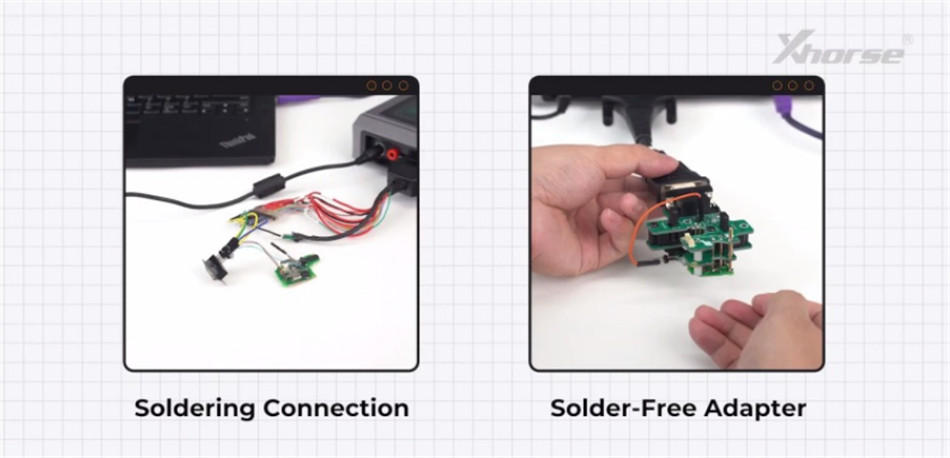
- Connection options: You have two choices — either solder directly to the board or employ a solder-free adapter.
- What to do: Read the data and securely store the file. This file will be essential during the upcoming authorization process.
For more details, reference:
Xhorse Multi-Prog Generate Original VW 5C 5D Dealer Key in 2 Methods
Step 2 – Get Your VVDI Smart Key Ready
Before the car will accept the key, you need to set up the hardware for the MQB49 system.
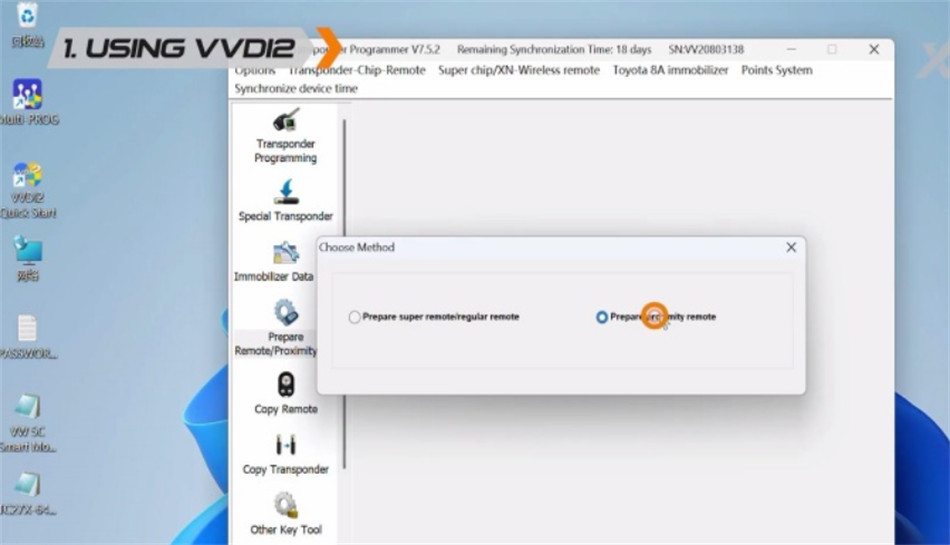
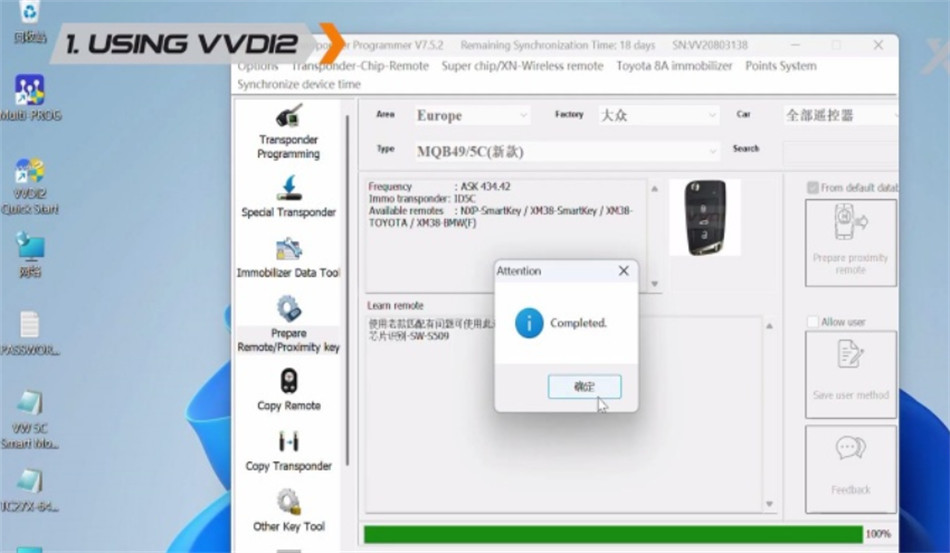
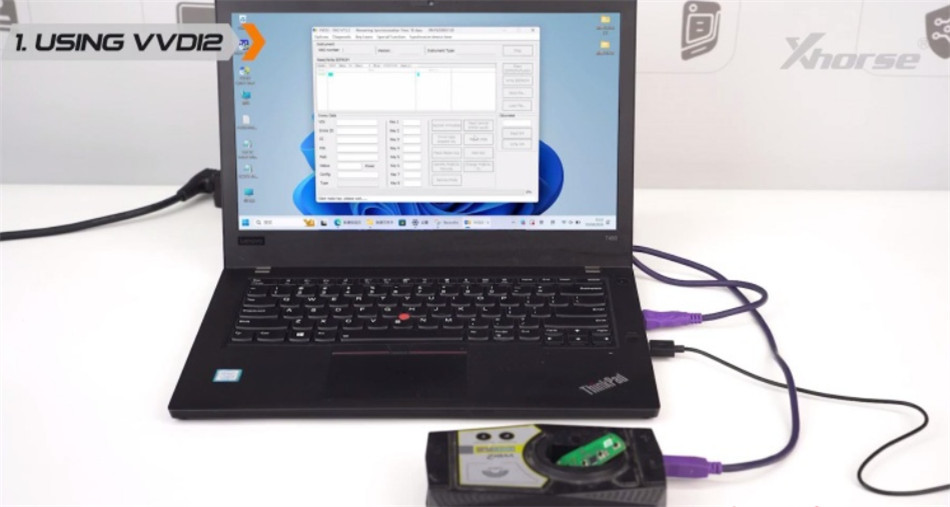
Option A – Using Xhorse VVDI2 Programmer
Head to: Transponder Programmer > Prepare Remote/Proximity Key > Prepare proximity remote > Europe > VW > MQB49/5C (New)
Drop your VVDI remote in the coil and hit Generate.
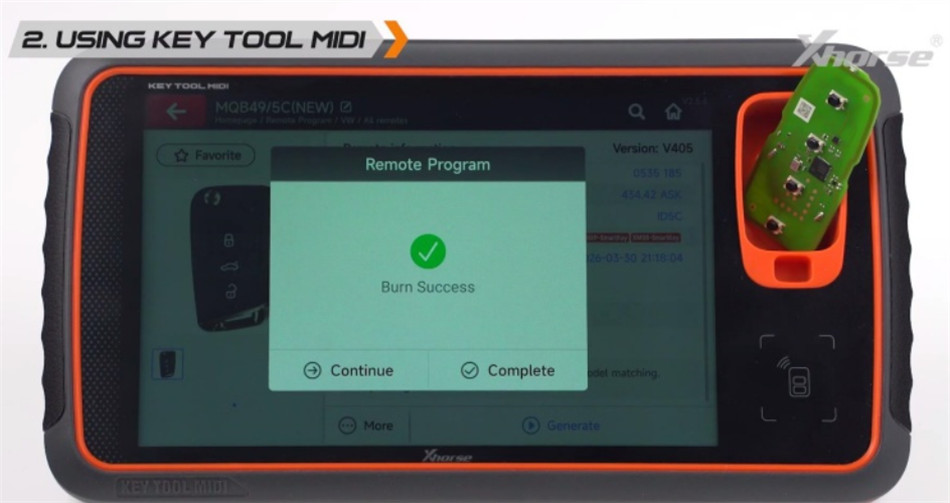
Option B – Using Key Tool MIDI
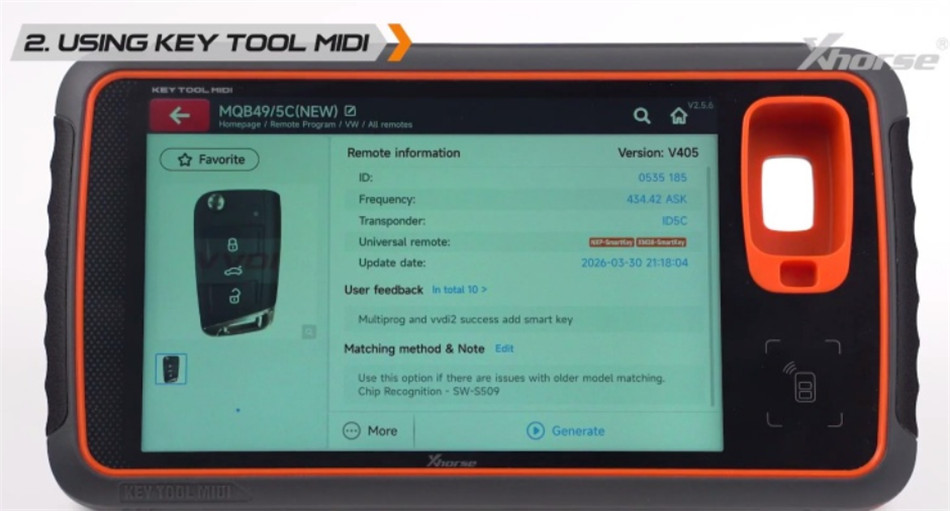
Go to: Remote Program > VW > MQB49/5C (New)
Put the VVDI key in the induction coil, press Generate, and wait for it to finish.
Step 3 – Create the Dealer Key
Now you’ll load the IMMO data to “authorize” the key.
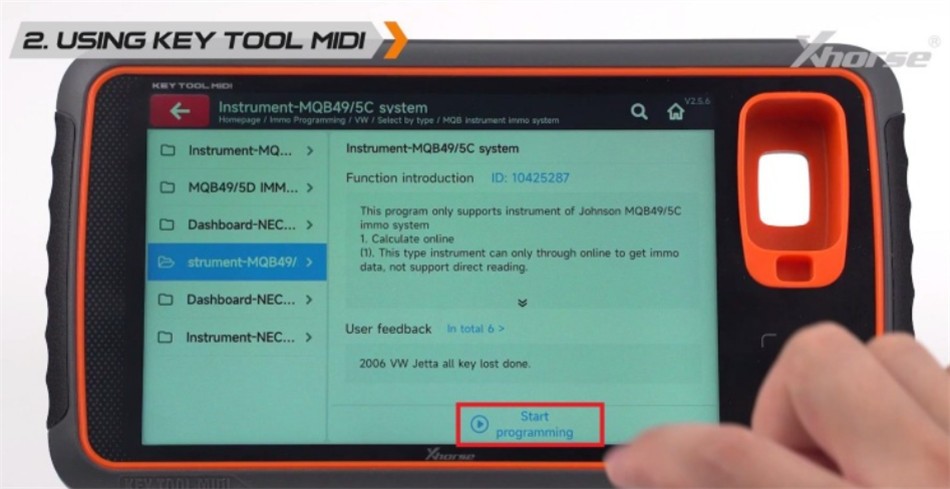
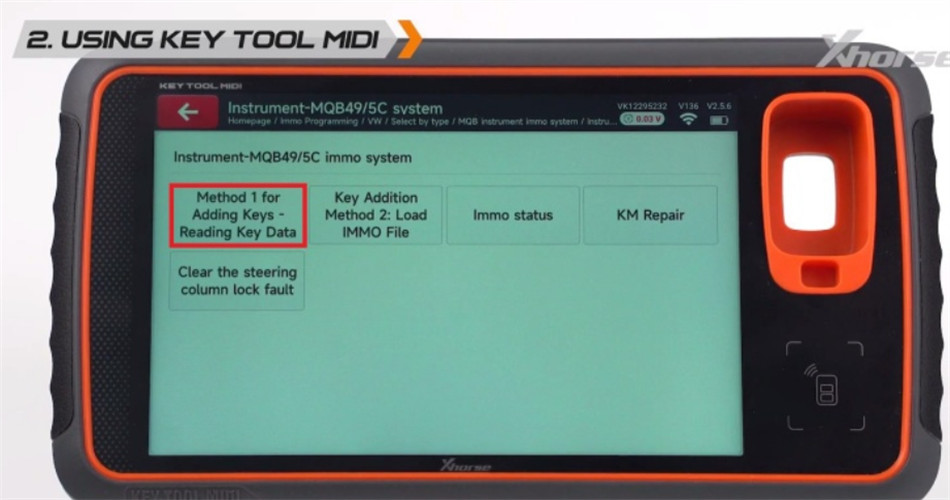
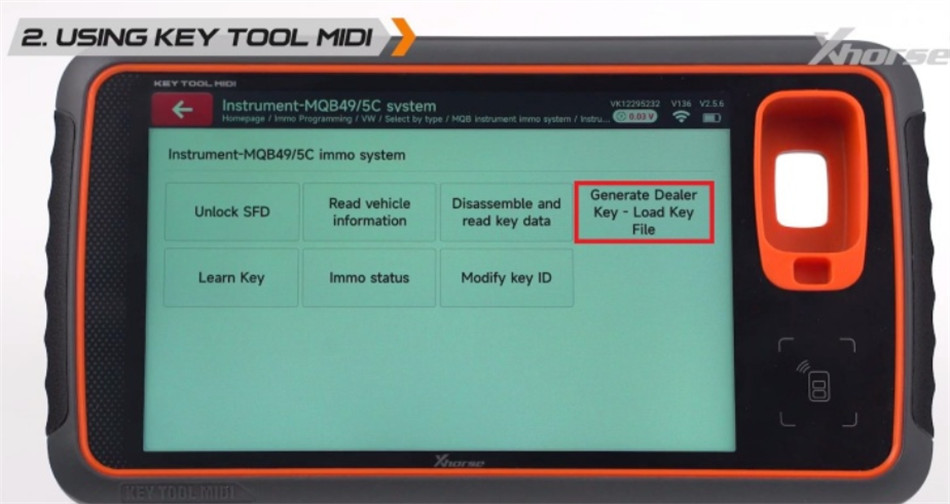
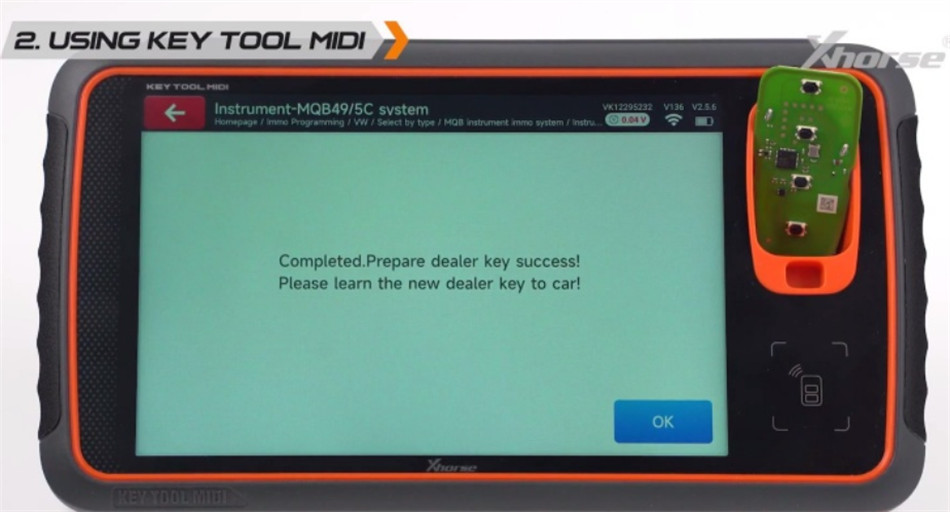
VW > Key Learn > MQB platform instrument immobilizer > instrument with 5C/5D immo (MQB49, HitagPro, 2019.10-) > Make Dealer Key > VW > Make MQB49/5C remote key with “VVDI proximity remote”
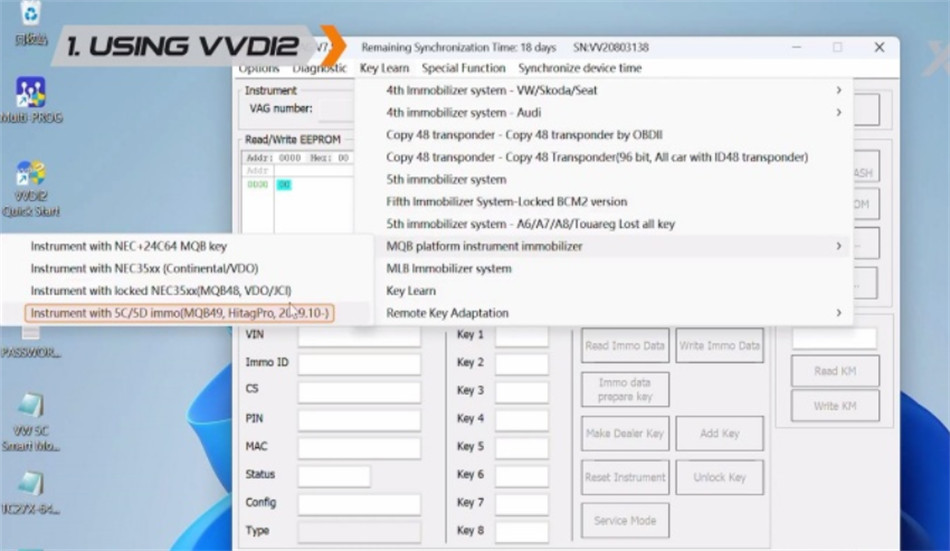
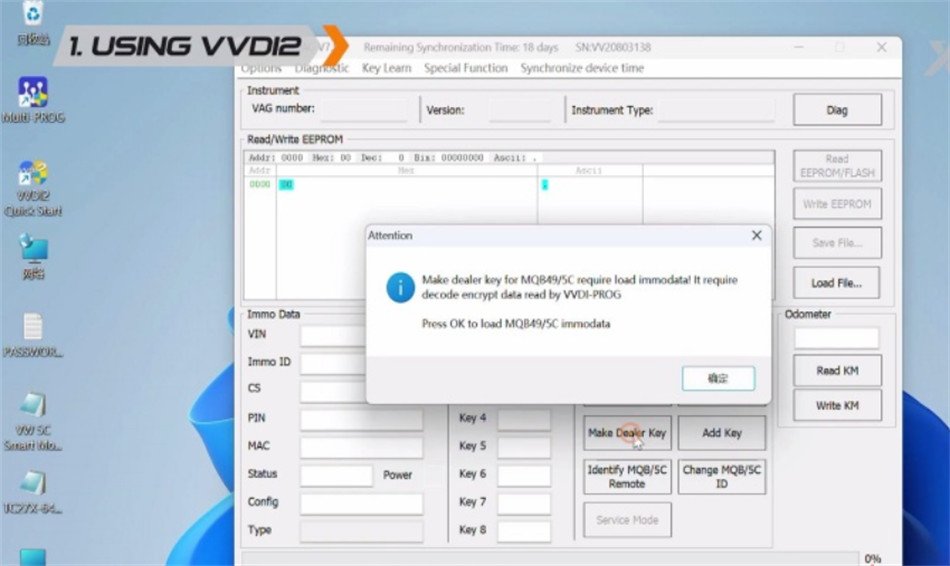
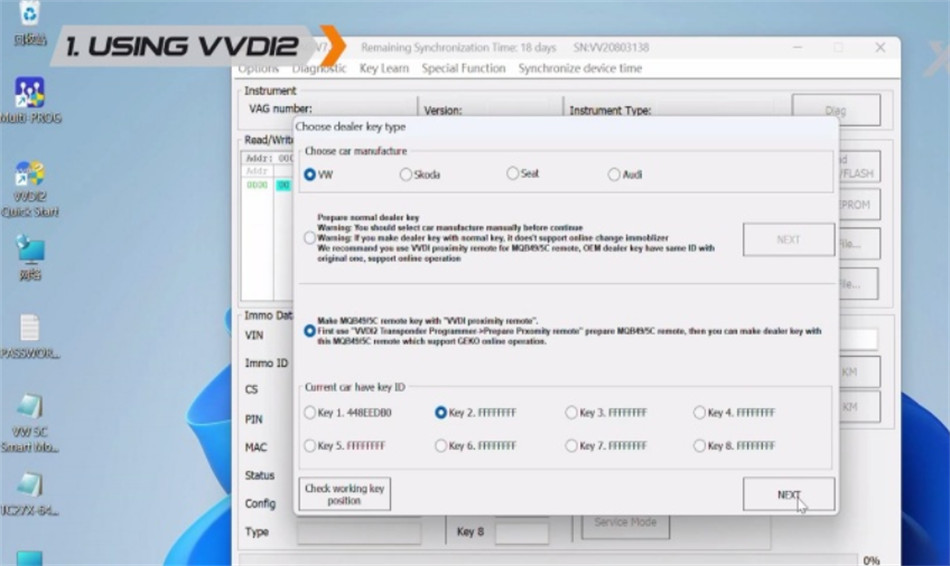
IMMO Programming > VW > Select by Type > MQB instrument immo system > Instrument MQB49/5C system > Start programming > Method 1 for Adding Keys – Reading Key Data > Keyless Go > Generate Dealer Key – Load Key File > VVDI Key
Last step: Load your saved IMMO file, leave the key in the coil, and click Generate.
Step 4 – Learn the Key to the Car
When you see “Dealer key generated successfully,” your key is ready to sync.
Use VVDI2 programmer, Key Tool MIDI, or Key Tool Plus to do the final key learning on the vehicle. This makes the new key work perfectly with the car’s immobilizer.
Leave a Reply