When attempting to program a spare key on VAG vehicles (such as a VW Caddy) using Xhorse VVDI Key Tool Plus Pad, the Auto Diagnose feature may occasionally fail to identify the immobilizer system automatically.
If you receive the error “Unable to automatically diagnose”, follow this manual identification procedure to find the correct system and read the EEPROM data.
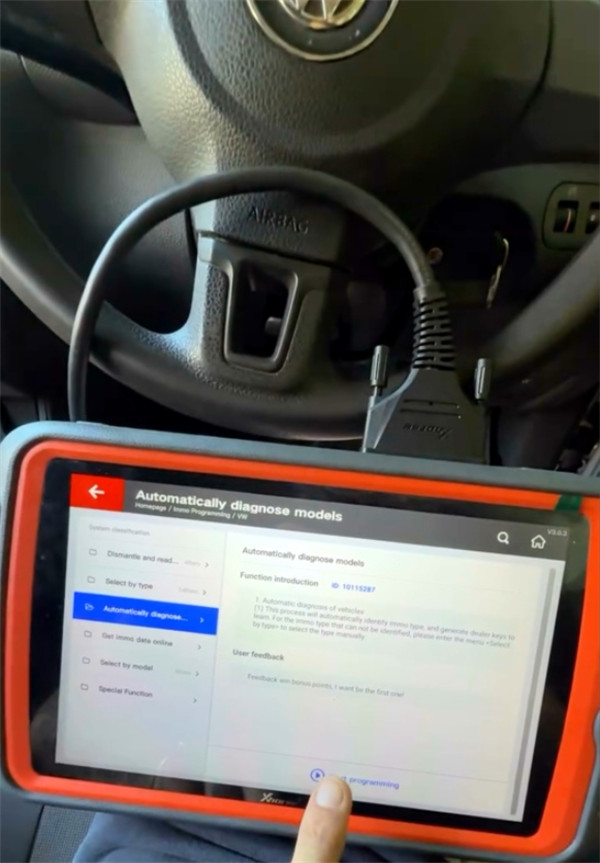
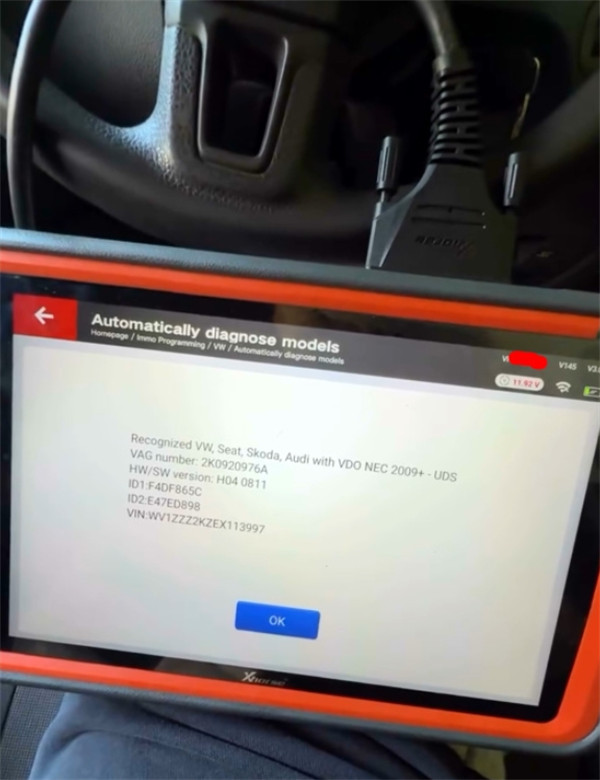
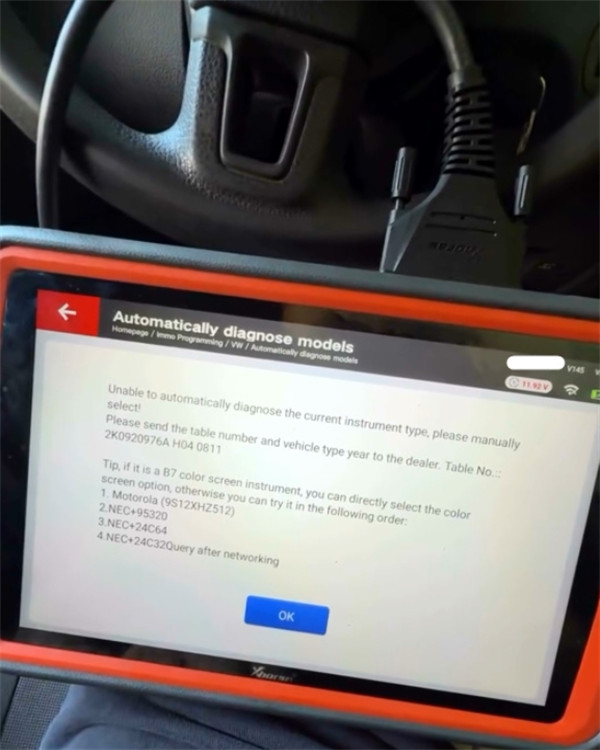
Step-by-Step Manual Diagnosis & Reading Procedure
- Note the System Hints
When the automatic diagnosis fails, the device screen will display a list of recommended immobilizer types to try manually (e.g., 4th Immobilizer System). Take note of these system options before moving forward.
- Navigate via “Select by Type”
Instead of re-running auto-diagnosis:
Go to Xhorse Key Tool Plus main menu and choose Select by Type.
Select the system type indicated by the previous screen prompt (e.g., 4th Immobilizer System).
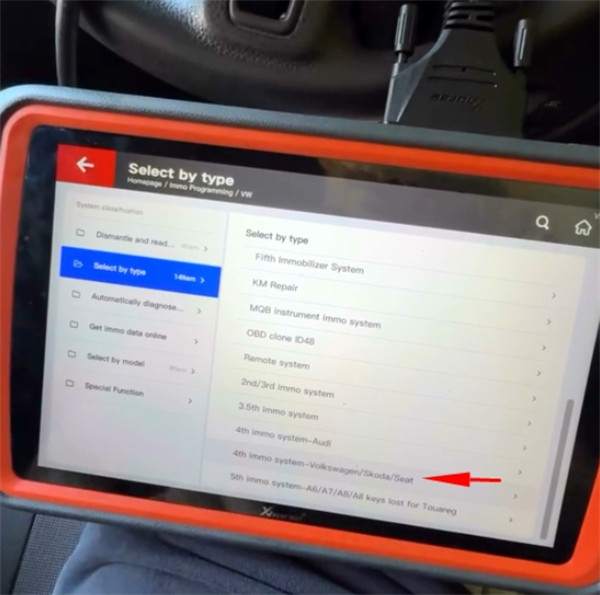
- Trial Selection & EEPROM Test (e.g., Standard 24C64)
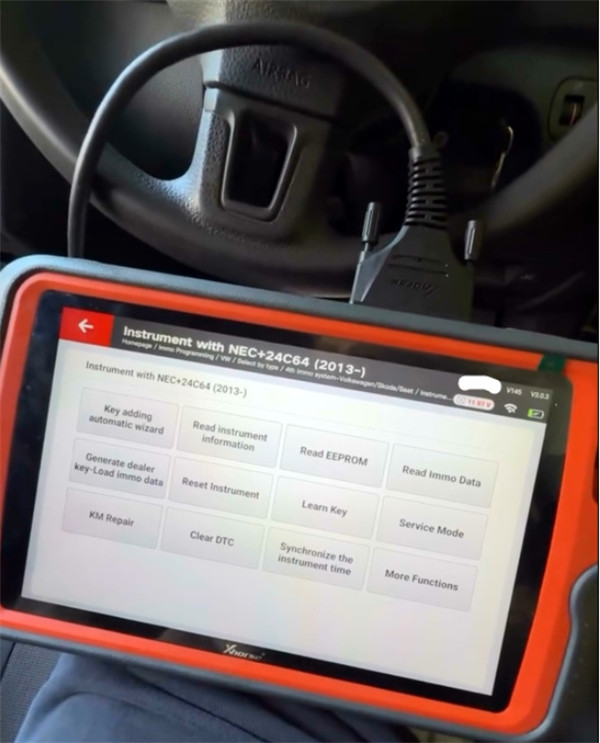
Select the first suggested dashboard option (such as NEC+24C64).
Tap Read EEPROM.
Result Analysis: If the screen displays “Failed to read data” and the vehicle dashboard remains completely off/inactive, the selected dashboard type is incorrect.
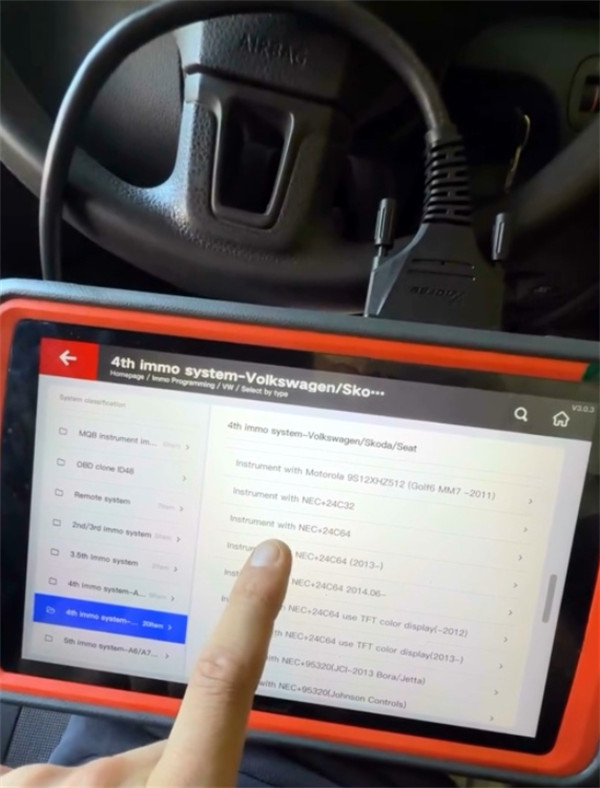
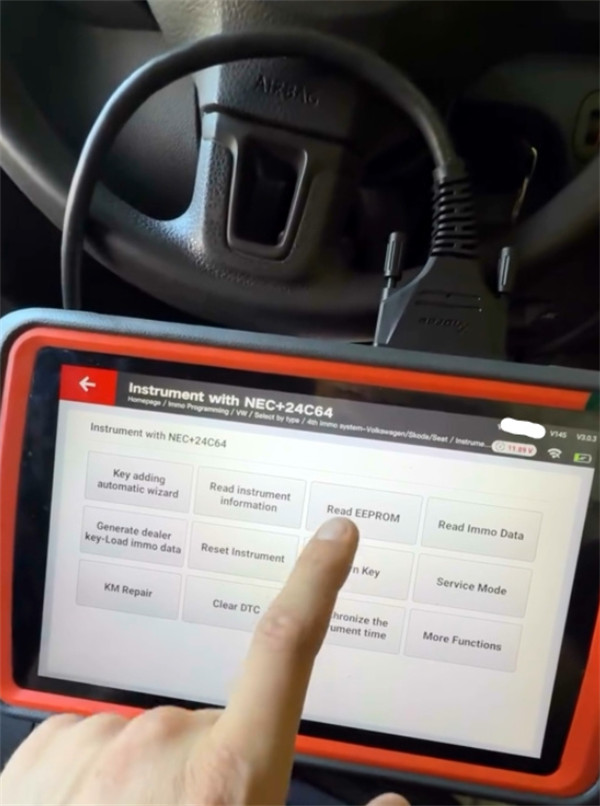
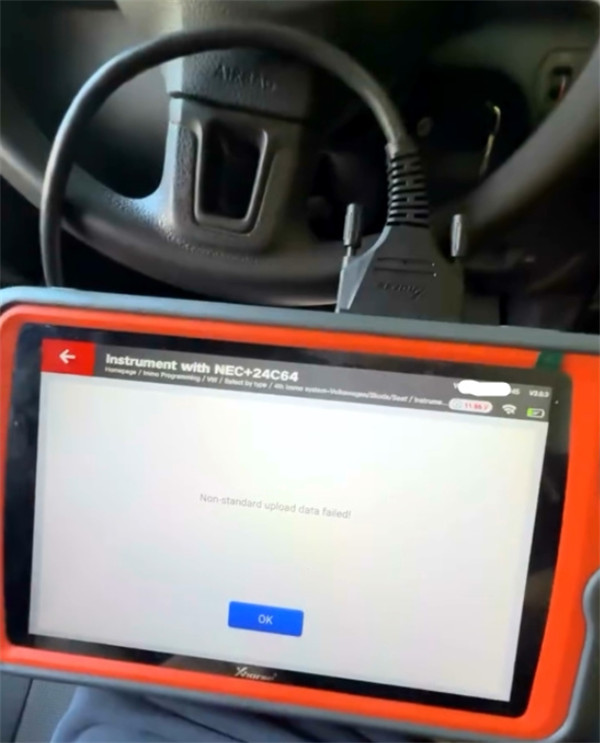
- Switch Option (e.g., 24C64 2013 Onwards)
Exit back to VVDI Key Tool Plus selection menu
Select the next candidate option (e.g., NEC+24C64 (2013-)).
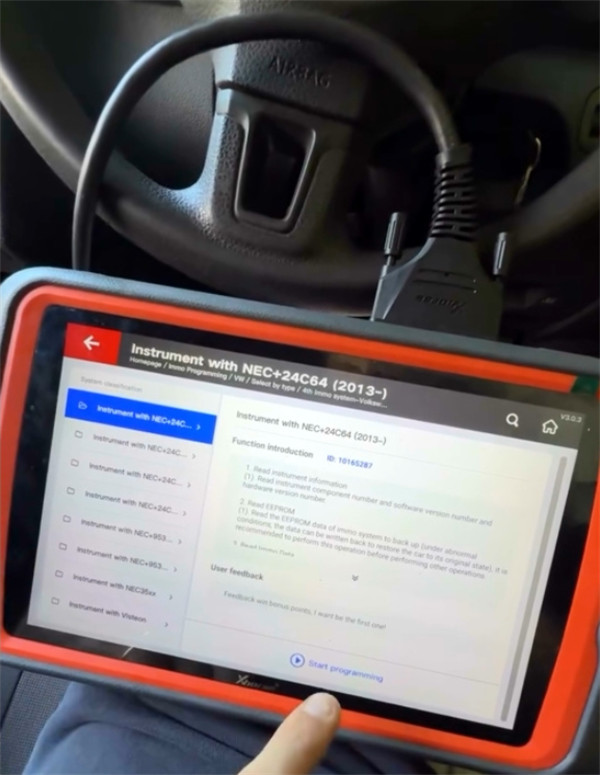
Insert the original working key into the ignition switch and turn it ON.
Tap Read EEPROM again.
- Confirming Success
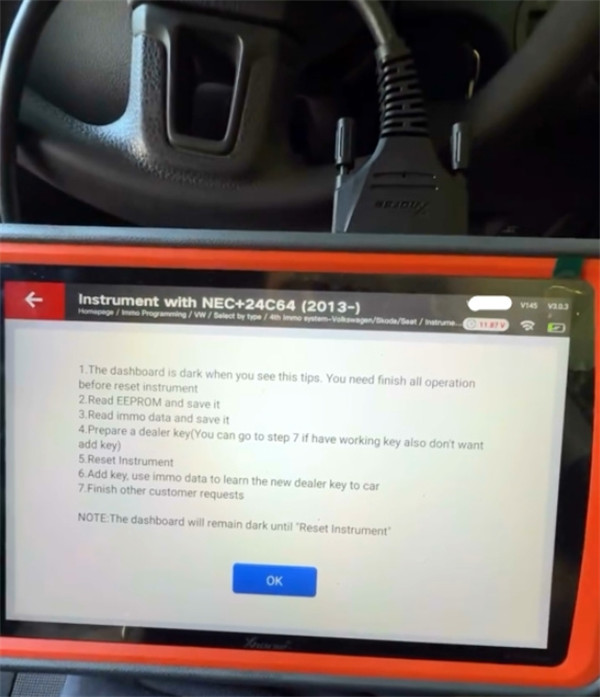
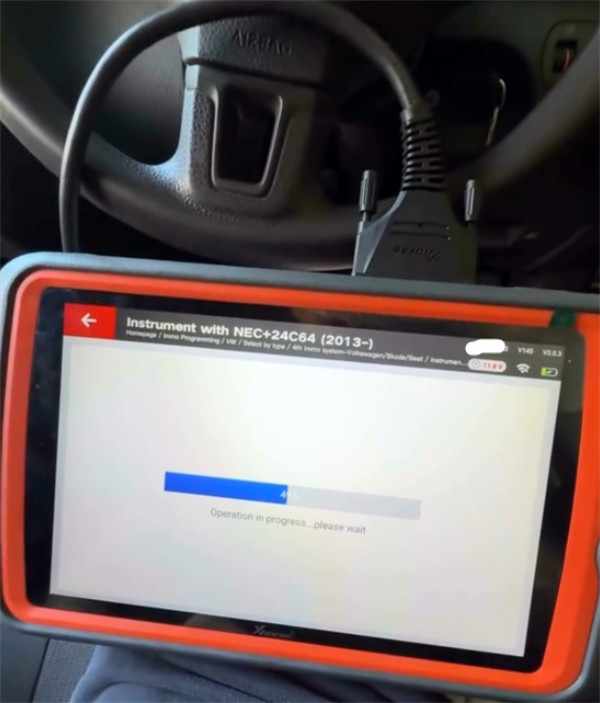
- Key Visual Indicator: When the instrument cluster/dashboard screen goes dark (shuts off automatically) during the reading process, it indicates that Key Tool Plus has successfully established communication with the gateway and immobilizer module.
- The tool will now proceed to extract and read the EEPROM data safely.
Technical Tip: Always ensure a stable vehicle battery voltage (connect a battery stabilizer if needed) and keep the original working key in the ignition while performing manual EEPROM readings on VAG 4th generation immobilizer systems.
Tech support:
Whatsapp/Wechat(Lucy): +86 15387077565
Email: sales@xhorseshop.co.uk
Skype: xhorseshop.co.uk
Leave a Reply