If your Xhorse Dolphin XP005L key cutting machine powers up but the touch screen remains completely black or won’t turn on, follow this diagnostic sequence to resolve the issue.
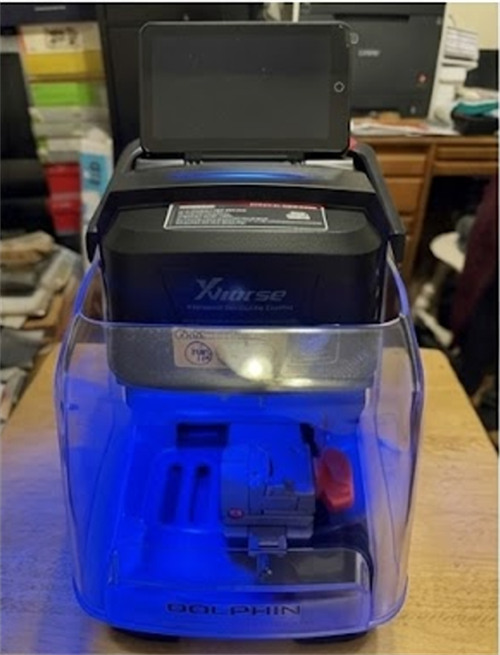
Step-by-Step Troubleshooting Guide
- Step 1: Disassemble the Device
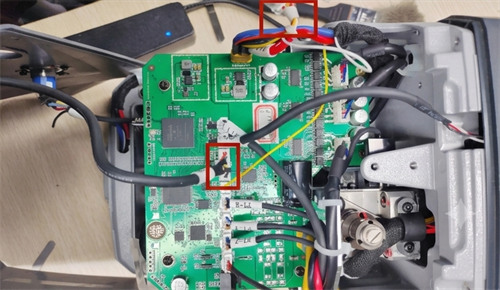
Locate and remove the retaining screws on both the left and right sides of the Dolphin XP005L housing, then carefully disassemble the machine cover.
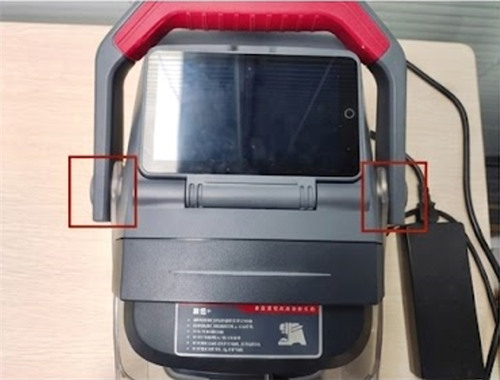
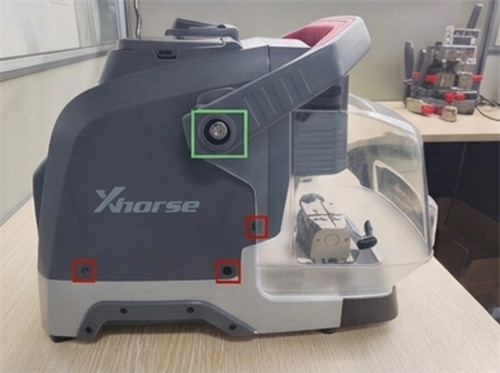
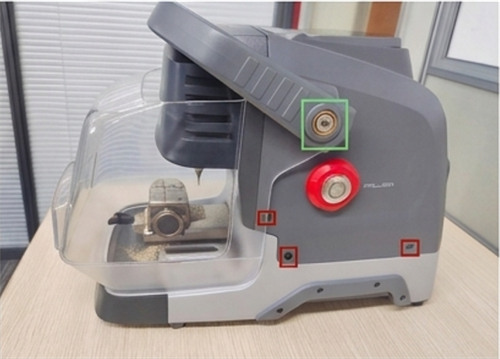
- Step 2: Inspect the Display Cable Connection
Locate the main display ribbon cable. Check if it has vibrated loose or disconnected during transport or heavy operation. Re-seat the cable firmly if necessary.
- Step 3: Diagnose Internal Screen Failure
If the external cable connection is secure, the malfunction is likely caused by a hardware failure inside the touch screen component itself.
Warranty Note: If you confirm an internal screen defect and your Dolphin XP005L machine is still within its factory warranty period, do not attempt to dismantle the screen module. Contact your authorized dealer to send the screen assembly back for official replacement or repair.
Tech support:
Whatsapp/Wechat(Lucy): +86 15387077565
Email: sales@xhorseshop.co.uk
Skype: xhorseshop.co.uk
Leave a Reply