When an Xhorse Dolphin XP005L key cutting machine displays Error Code 70, the internal battery pack enters BIOS mode and stops charging. This issue can be resolved by performing a full system update using the Xhorse app or a PC.
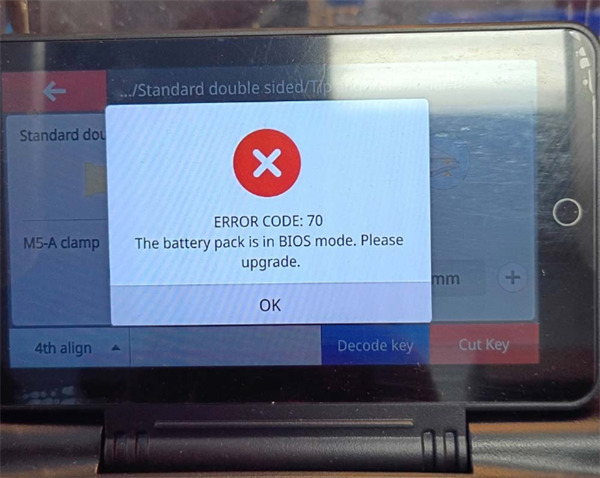
Standard Recovery Steps
1.Plug Dolphin XP005L into a reliable power charger.
2.Open the Xhorse app on your phone and connect to the machine via Bluetooth.
3.Go to the Update/Upgrade menu and run a complete firmware and database update.
4.Ensure you are using a stable Wi-Fi connection or mobile hotspot during the process.
5.If the mobile update fails, connect the machine to a computer and run the update using the official Xhorse Upgrade Kit.
Alternative Hardware Reset Method
If the standard firmware update fails to complete, follow these steps:
1.Remove the battery cover and unplug the green battery connector inside.
2.Leave the green connector unplugged, plug in the main power charger, and turn on the machine.
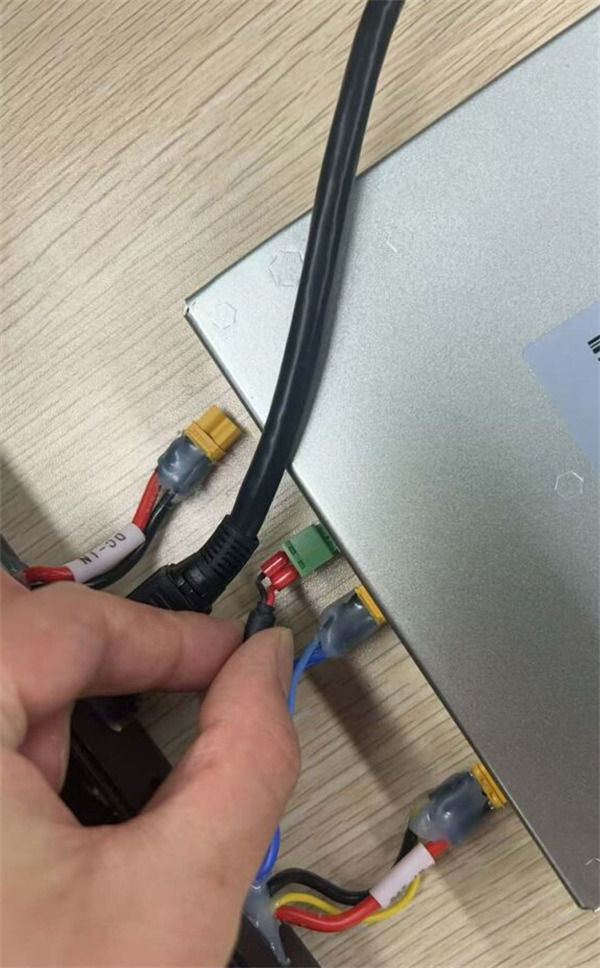
3.Run the firmware update (takes roughly 11 minutes).
4.Reconnect the green battery plug and run the update process one more time.
5.Power on the machine to confirm Error Code 70 is resolved.
Tech support:
Whatsapp/Wechat(Lucy): +86 15387077565
Email: sales@xhorseshop.co.uk
Skype: xhorseshop.co.uk
Leave a Reply