Reading original BMW G-Series BDC3 key data requires precision. Using the solder-free Xhorse BMW BDC3 XDNP11 Clip Adapter with VVDI Key Tool Plus eliminates the risk of board damage. Here is the step-by-step connection guide.
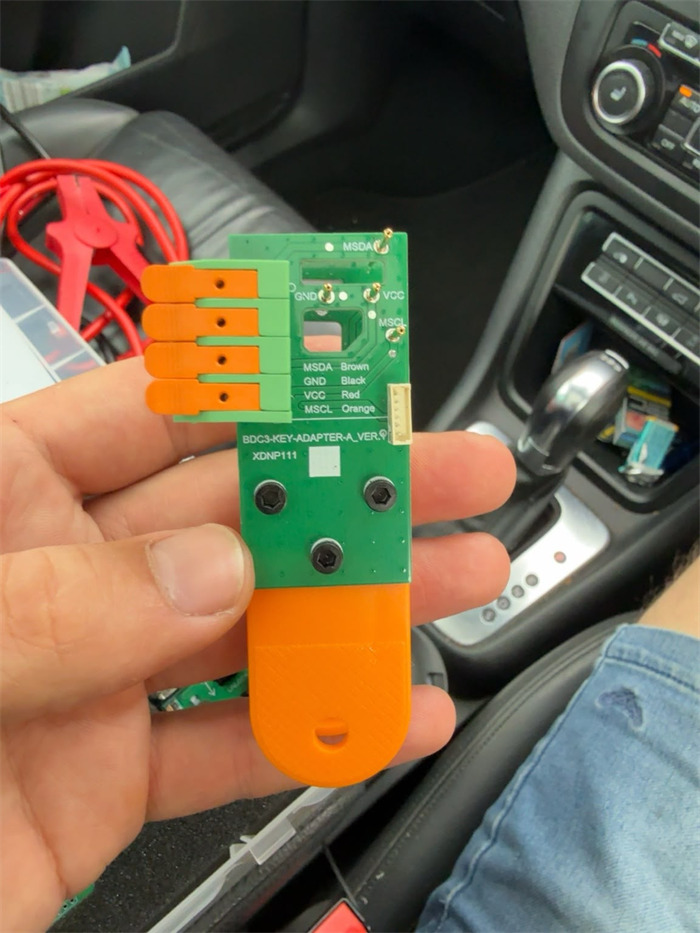
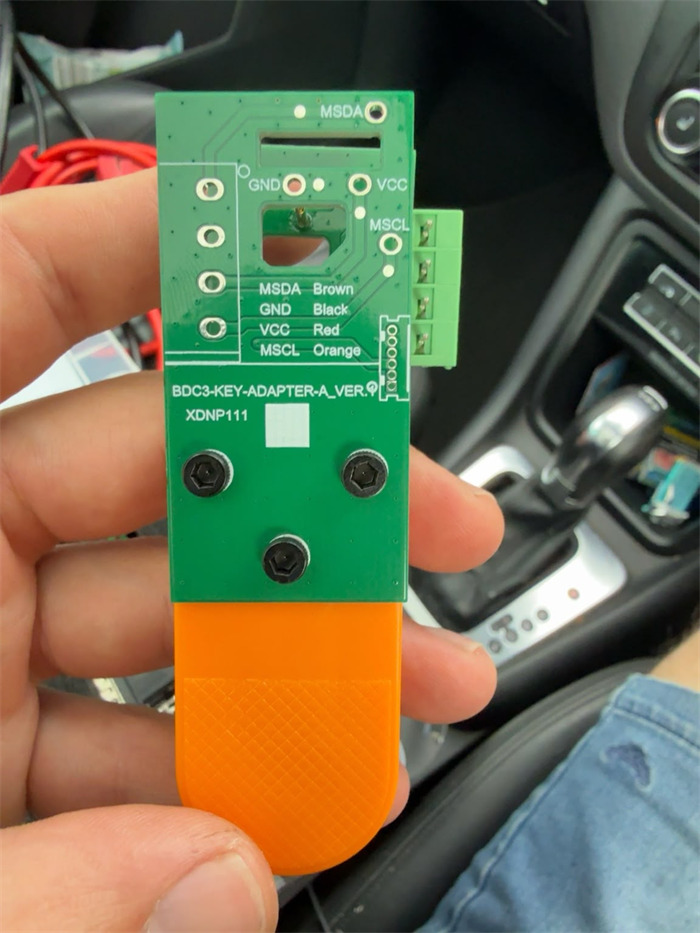
Prerequisites: Hardware Setup
•Main Tablet: Xhorse VVDI Key Tool Plus Pad
•Adapter Kit: BMW G-Series BDC3 Clip Adapter (XDNP11)
•Connection Interface: Dedicated MCU Cable
Step-by-Step Connection Guide
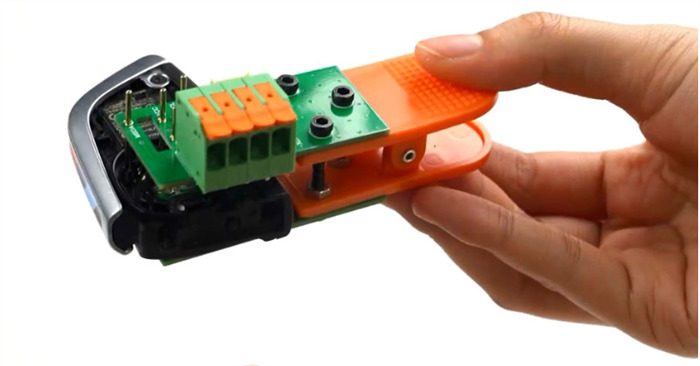
Step 1: Install the XDNP11 Clip onto the BMW Key
1.Take the original BMW G-Series BDC3 key PCB.
2.Align the MSDA and MSCL pins on XDNP11 adapter precisely with the corresponding points on the key circuit board.
3.Clamp the adapter securely into place.
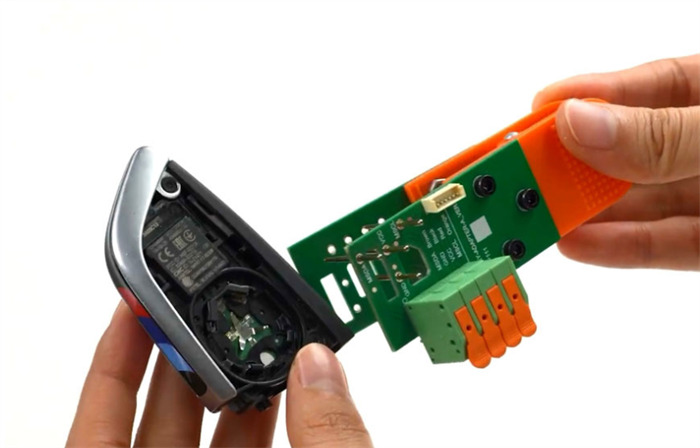
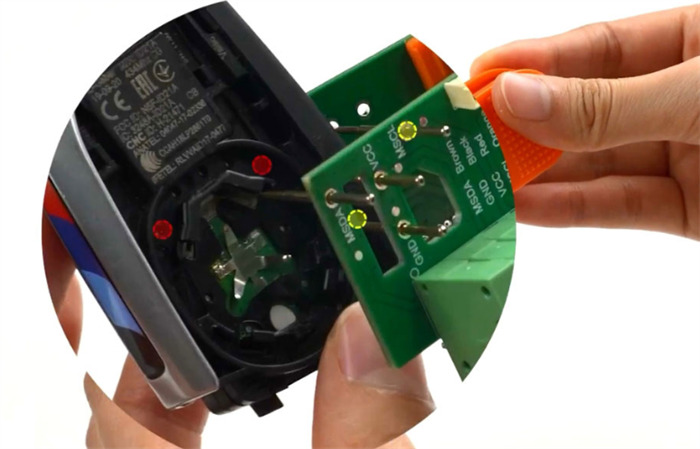
Step 2: Configure Xhorse Key Tool Plus Software
1.Power on your Xhorse Key Tool Plus.
2.Navigate to the [BMW BDC3 key reading (adapter)] option.
3.Review the on-screen connection diagram provided by the device interface.
Step 3: Wire the MCU Cable (Pinout Definition)
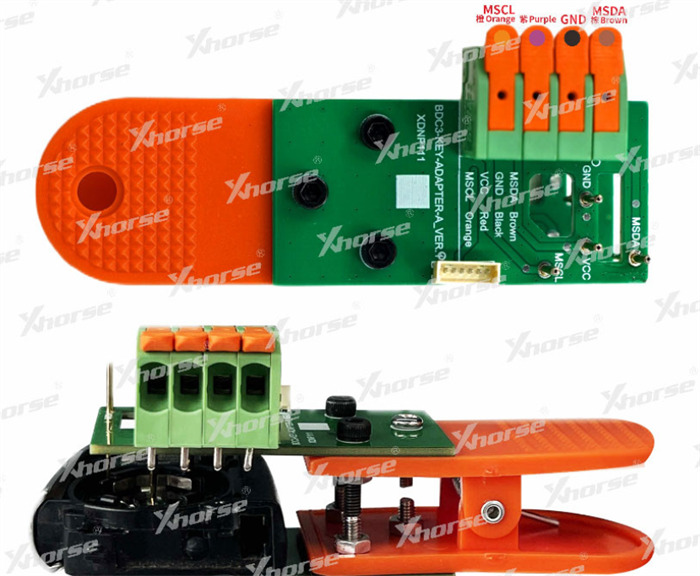
Connect XDNP11 clip adapter to Key Tool Plus using the MCU cable according to the following wiring configuration:
| MCU Cable Wire Color | Target Pin |
| Orange | MSCL |
| Purple / Red | VCC |
| Black | GND |
| Brown | MSDA |
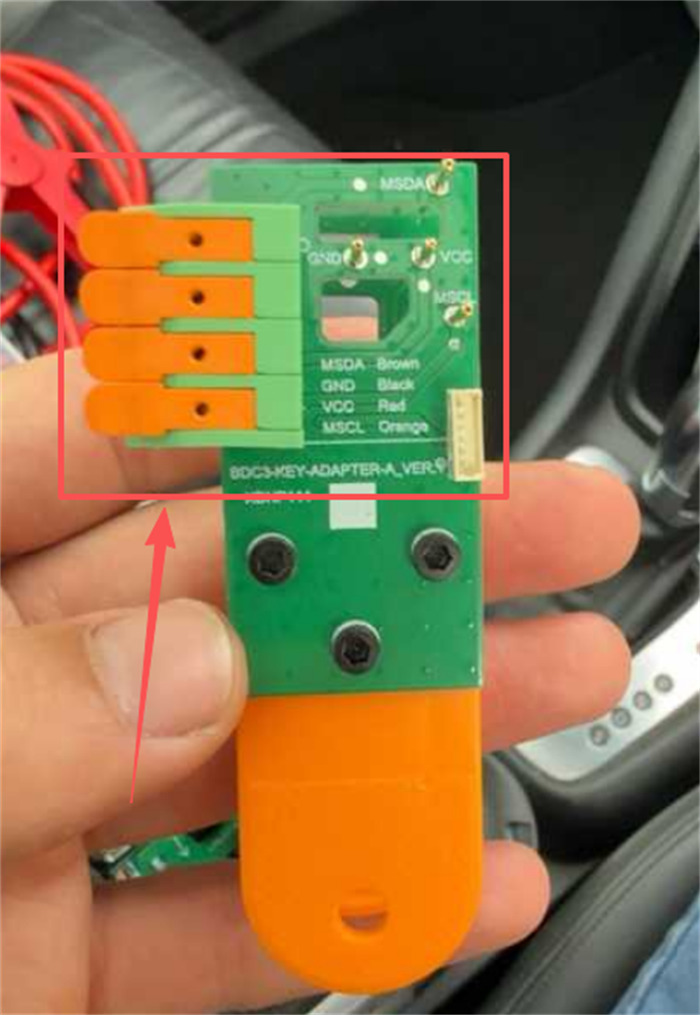
Step 4: Secure the Wiring Interface
1.Flip the orange latch upward on the connector.
2.Insert the MCU wiring harness firmly.
3.Press the orange latch back down to lock the wiring in place.
4.Ensure the adapter remains clipped firmly onto the key throughout the data reading process.
www.xhorseshop.co.uk
Leave a Reply