After updating Xhorse Multi-Prog software to V1.4.2.0 (along with the updated database), one customer have reported unexpected connection failures across multiple Bosch ECUs, such as EDC17CP49, EDC17CP02, and EDC17C50.
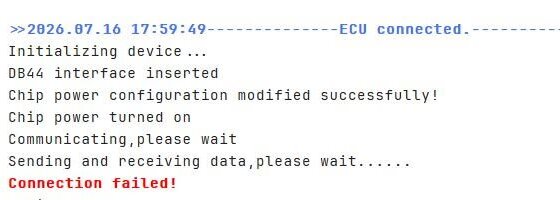
The solution:
Perform the hardware self-test diagnostic:
1.Perform MCU Cable Test:
Open Multi-Prog software.
Navigate to: Help -> Auxiliary Function -> MCU Cable Test.
2.Perform ECU Cable Test:
Navigate to: Help -> Test Channel.
Input/Select Type 170.
Refer to the connection diagram displayed on the right panel to wire the test setup.
3.Submit Test Data:
Export the generated test report and forward it to Xhorse technical support for factory engineering analysis.
Executing these test routines allows Xhorse engineers to determine whether the issue stems from a firmware handshake error post-V1.4.2.0 update or a physical channel pin activation failure.
Tech support:
Whatsapp/Wechat(Lucy): +86 15387077565
Email: sales@xhorseshop.co.uk
Skype: xhorseshop.co.uk
Leave a Reply