When Xhorse Key Tool MIDI fails to turn on—even after an hour on the original charger—the issue is typically caused by an unverified charging current, an incompatible charger type, or a deep battery discharge that blocks standard charging circuits. Below is the step-by-step technical procedure to diagnose and resolve this issue.
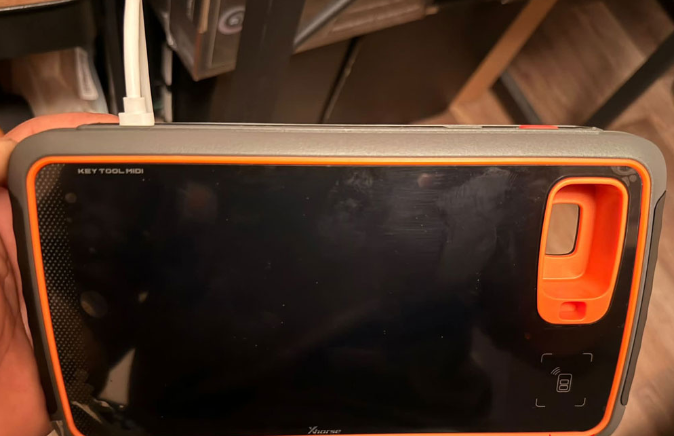
Step 1: Basic Charger & Power Checks
•Verify Charging Status: Leave the device plugged in for at least 30 minutes to check whether the charger is actively delivering power and charging the device.
•Switch Power Adapters: Try using a different charger. Do not use a fast charger or supercharger, as high-wattage power supplies can fail to initialize the charging circuit properly on these devices.
Step 2: Extended 24-Hour Deep Recovery Charge
If changing chargers does not work, the battery may be completely dead.
•Leave the unit plugged into a standard power source continuously for 24 hours to see if the battery picks up a trickle charge.
Step 3: Direct 12V Battery Jump-Start (Advanced Hardware Fix)
If the device remains unresponsive after a 24-hour charge cycle, the battery has become fully depleted with zero residual amperage. In this state, the battery will not accept a charge through the standard circuit because the internal MIDI voltage regulator prevents current flow.
1.Disassemble the Device: Carefully open Key Tool MIDI casing.
2.Remove the Battery: Disconnect and remove the battery pack from the mainboard circuit.
3.Apply Direct Voltage: Apply a direct 12V charge directly to the battery terminals, completely bypassing the MIDI voltage regulator to restore baseline cell voltage.
4.Reassemble & Test: Reconnect the battery, close the unit, and connect a standard charger to verify normal operation.
Warranty Note: If your VVDI Key Tool MIDI is still under warranty, return the device to your supplier or dealer rather than opening the casing yourself.
Tech support:
Whatsapp/Wechat(Lucy): +86 15387077565
Email: sales@xhorseshop.co.uk
Skype: xhorseshop.co.uk
www.xhorseshop.co.uk
Leave a Reply