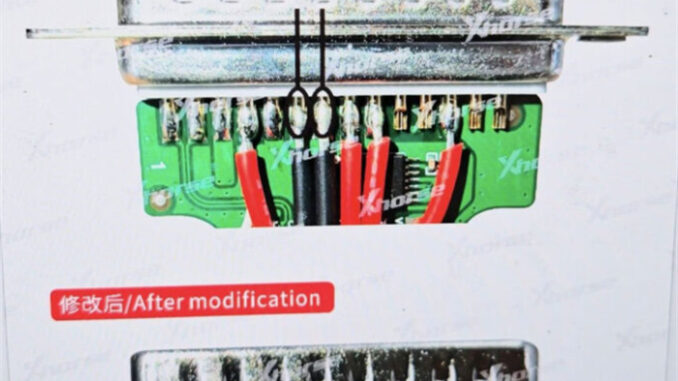
Are you encountering a roadblock while attempting to read Renesas V850 D70F3526 MCU with your Xhorse Multi-Prog? A common issue reported by users is the error message: “Chip configuration failed. Error code 08030201. Crystal frequency does not match.”
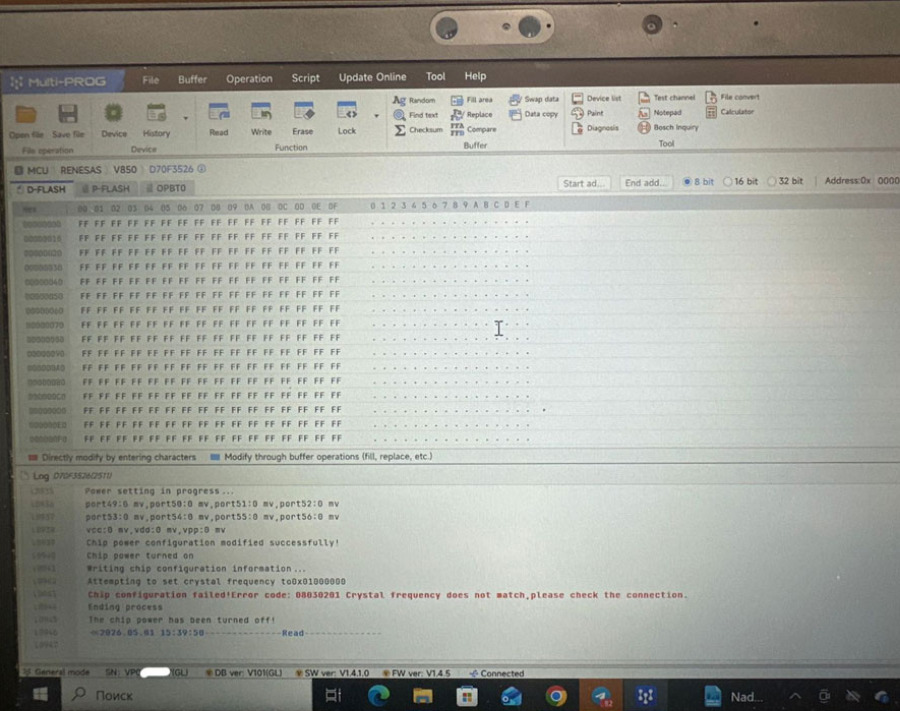
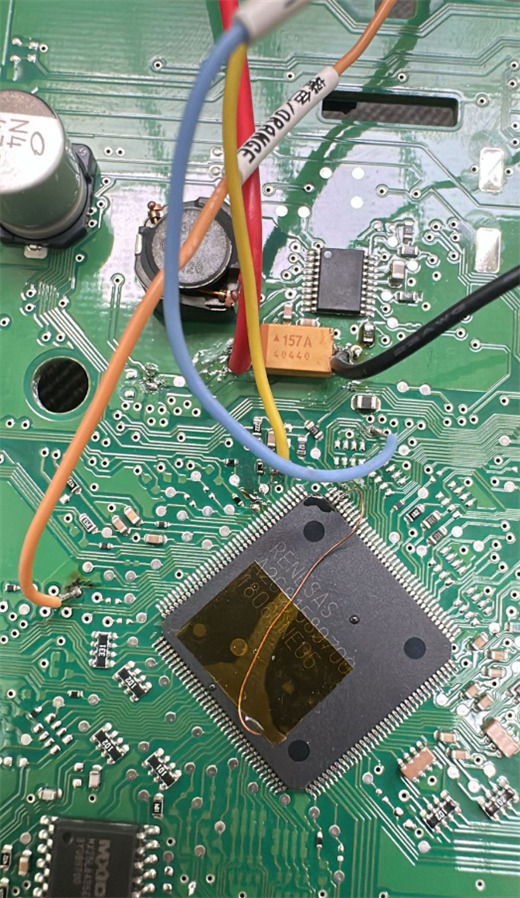
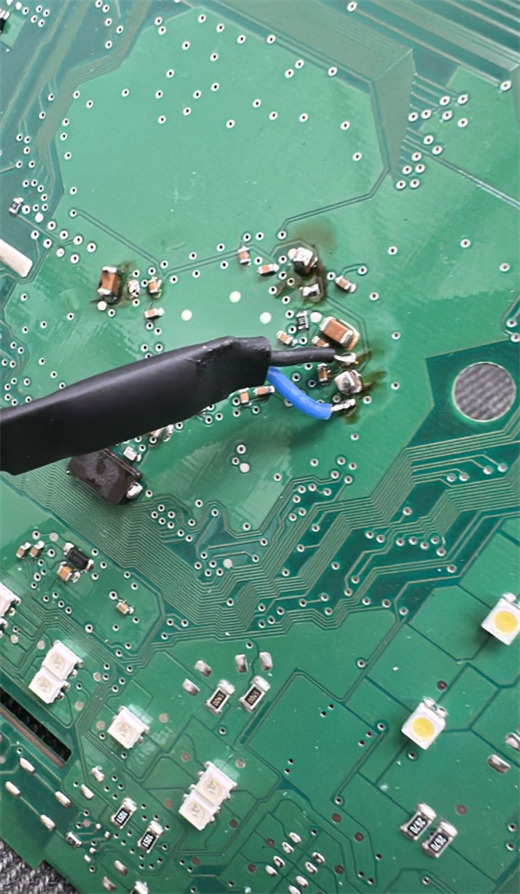
This error typically indicates a communication mismatch between the programmer and the chip. Fortunately, there is a verified hardware fix to get your device back on track. Follow the steps below to resolve this.
The Solution: Hardware Modifications
To successfully bypass error code 08030201, you need to ensure your hardware setup meets the latest technical requirements.
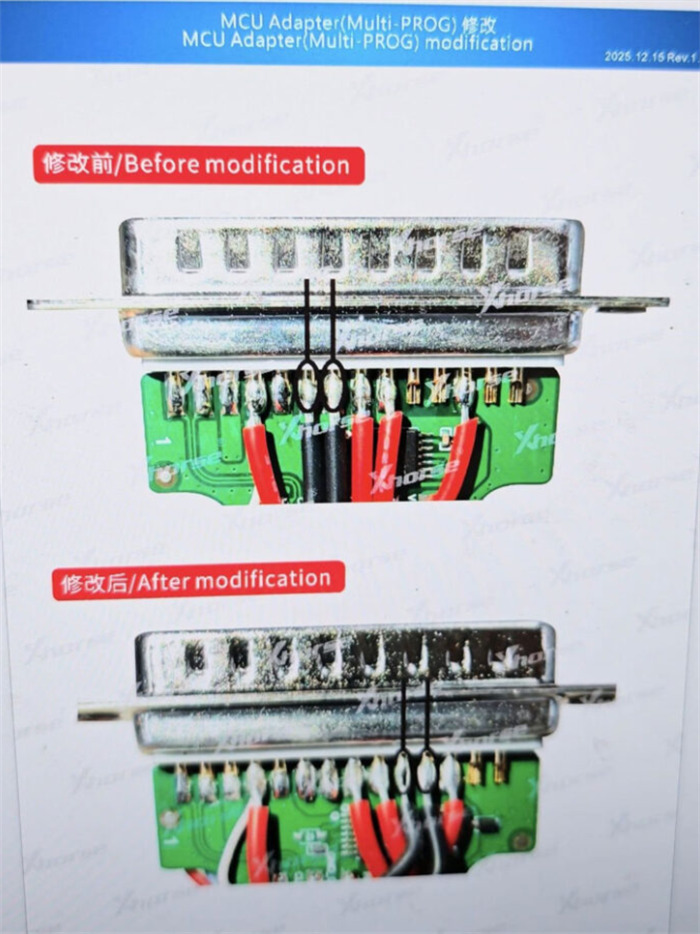
Step 1: Update the MCU Adapter
Before performing any further troubleshooting, verify that your MCU adapter has been modified to the most recent version. Older hardware revisions may lack the necessary circuitry to stabilize the signal for the D70F3526 series.
Step 2: Add a Pull-Up Resistor
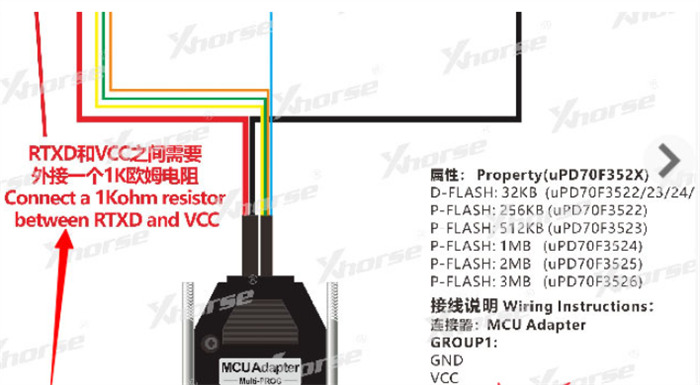
If the adapter update alone does not solve the frequency mismatch, a manual modification is required to improve signal integrity:
Component Needed: One 1k Ohm resistor.
Procedure: Solder or connect the 1k Ohm resistor between the RTXD and VCC pins.
Purpose: This pulls the signal line high, ensuring the crystal frequency is correctly detected by Multi-Prog software.
Final Testing
Once the resistor is in place and the adapter is updated, reconnect the MCU and attempt the read operation again. The “Crystal frequency does not match” error should now be resolved, allowing for a smooth data extraction process.
Technical Tip: Always double-check your solder joints and ensure no bridges are formed between adjacent pins during the modification process.
Leave a Reply