Customer problem:
I wanted to use Xhorse VVDI Key Tool Plus to add a 2023 VW MQB49 5C key, but it failed to read the original key data. The error message showed: “CLK line not connected.”
All soldering was correct. The same issue occurred with solder‑free adapter. What’s wrong?

Solution:
1.Check wire connections carefully – don’t rely only on wire colors. Match the labels on the wires.
2.Focus on the CLK connection.
The CLK signal corresponds to Pin 24 of the chip.
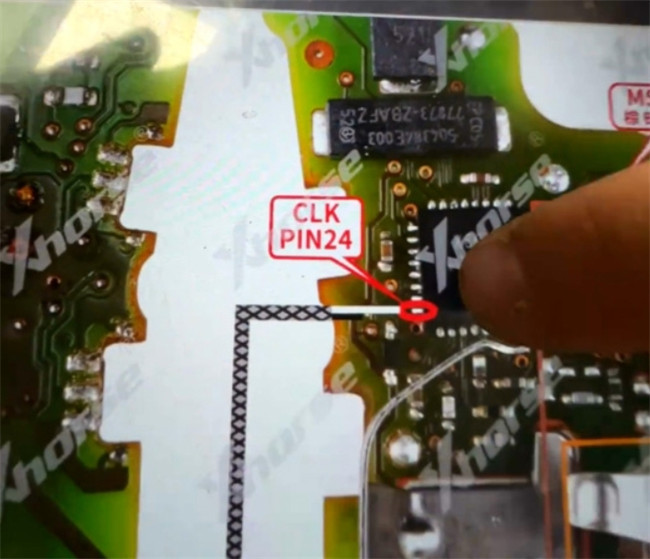
- Use a microscope to examine the chip.
- Polish any cracked or damaged pin.
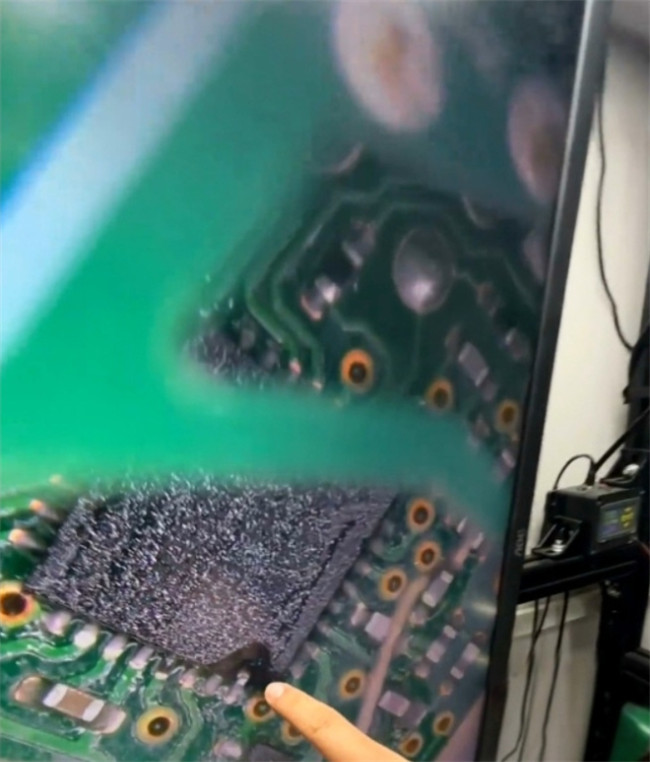

4.Ensure a secure CLK connection:
- Reattach the wire properly, or
- If using a 5C/5D solder‑free adapter, press a needle firmly onto the CLK pin to hold it in place during the process.

Tech support:
Email: sales@xhorseshop.co.uk
Skype: xhorseshop.co.uk
Whatsapp/Wechat (Lucy): +86 15387077565